
Big Tech is ignoring your opt-out signals: what to do
An April 2026 forensic audit found Microsoft, Meta, and Google still tracking users who explicitly opted out. Here's what works in practice when corporate promises don't.
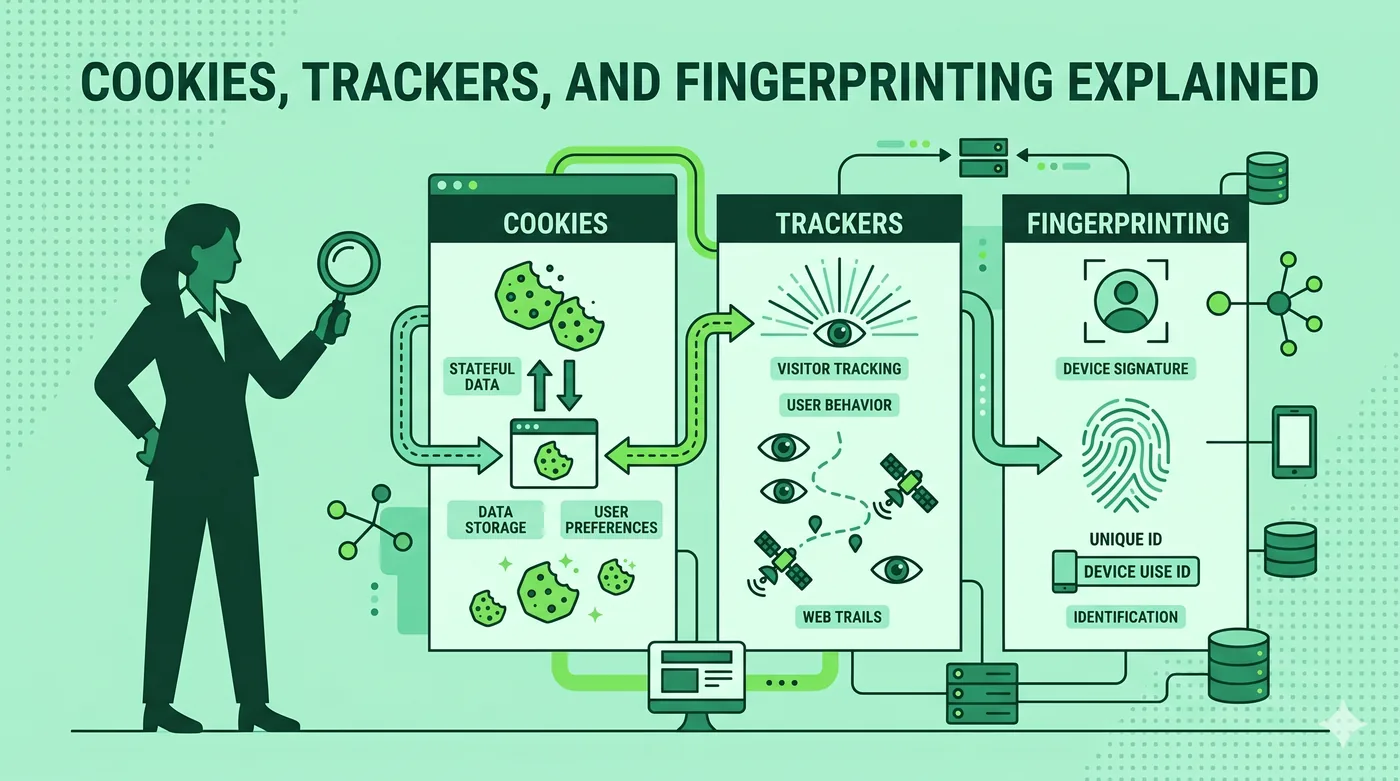
An April 2026 forensic audit confirmed what privacy advocates have long suspected: major platforms continue tracking users who use the legally-defined opt-out signals like Global Privacy Control. Until enforcement catches up, your defences are technical rather than regulatory: use Brave or Firefox with strict tracking protection, set up an encrypted DNS, install uBlock Origin, and treat 'do not track' settings as a polite request that some companies honour and others ignore.
Key takeaways
- An April 2026 forensic audit found Microsoft, Meta, and Google ignoring legally-defined opt-out signals like Global Privacy Control (GPC).
- Browser-based 'do not track' has been effectively dead since 2018; GPC was supposed to replace it but enforcement is patchy.
- Technical defences (browser hardening, DNS filtering, ad blockers) work whether or not the company chooses to honour your opt-out.
- California (CCPA) and Colorado (CPA) treat GPC as a binding opt-out signal in law — but enforcement cases are still rare.
- Privacy is layered: browser + extensions + DNS + VPN + behaviour. No single layer is sufficient on its own.
What 'opt-out' actually means in 2026
The privacy regulations of the past decade have introduced a category of user choice called 'opt-out of sale and sharing.' Under the California Consumer Privacy Act (CCPA) and similar state laws, users can tell businesses not to sell their data or share it with advertising networks.
The traditional way to express this opt-out is per-site: each website shows a 'Do Not Sell My Personal Information' link in its footer. This is impractical at scale — nobody clicks it on every site.
Global Privacy Control (GPC) was created to solve this. GPC is a header your browser sends with every request, signalling 'I am opting out of sale and sharing on every site I visit.' California's CCPA was amended to require businesses to honour GPC. Colorado's CPA does the same. As of 2026, several other states and the proposed federal APRA also recognise it.
The April 2026 audit found that this isn't working in practice for the largest platforms.
What the audit found
A forensic audit by an academic team in April 2026 systematically tested whether major platforms honour GPC and 'Do Not Track' headers. The headline finding: Microsoft, Meta, and Google continue to set tracking cookies, build behavioural profiles, and run advertising-targeting systems even when the user's browser sends GPC.
Some of this is jurisdictional — the platforms argue GPC only legally binds them for California residents and only for specific data types. Some of it is technical — they distinguish between 'tracking' for advertising (which they may stop) and 'collection' for product improvement (which they don't). And some of it is enforcement gap — California's Attorney General has issued fines, but the cadence is slow relative to the speed of data collection.
The practical takeaway is that the user-facing opt-out signal is a polite request. Some companies honour it. Others don't. The legal mechanism to compel them is real but slow.
Technical defences that don't depend on cooperation
These defences work whether or not the company honours your opt-out.
Use a privacy-respecting browser with strict tracking protection enabled. Brave (built on Chromium) and Firefox (with 'Strict' tracking protection) both block third-party trackers, fingerprinters, and cross-site cookies by default.
Install uBlock Origin. It's free, open source, and blocks ads and trackers more aggressively than any browser-built-in option. EasyList + EasyPrivacy + a couple of regional lists covers most of the tracking ecosystem.
Use encrypted DNS with filtering. NextDNS, Cloudflare for Families (1.1.1.3), and AdGuard DNS block known tracking domains at the DNS layer — covering every device on the network without per-device setup.
Disable third-party cookies. Chrome: chrome://settings/cookies → Block third-party cookies. Firefox: Strict tracking protection has this on by default. Safari has had this on by default for years.
Disable cross-site tracking IDs. iOS Settings → Privacy & Security → Apple Advertising → off. Android Settings → Google → Ads → Delete advertising ID.
Browser-by-browser hardening
Chrome: install uBlock Origin. Block third-party cookies. Disable 'Privacy Sandbox' features (chrome://settings/adPrivacy → all off). Use Chrome's built-in 'Send a Do Not Track request' setting; some sites still respect it.
Firefox: switch tracking protection to 'Strict.' Set 'Do Not Track' to 'always.' Enable Global Privacy Control via about:config → privacy.globalprivacycontrol.enabled = true.
Safari: tracking protection is on by default. Verify under Settings → Safari → Privacy & Security. Hide IP address from trackers — on. Block all cross-site tracking — on. Privacy report tells you what's been blocked.
Brave: most of the above is on by default. Verify under Settings → Shields → 'Aggressive' for trackers. Ad-blocking is built in; no extension needed.
What about VPNs?
A VPN hides your IP address and ISP from the sites you visit. It does not, by itself, stop tracking.
Most tracking is not based on your IP address — it's based on cookies, browser fingerprints, and login state. A VPN that doesn't change those signals doesn't stop tracking by services you're logged into.
VPNs help in narrower ways: they prevent ISPs from logging your DNS lookups and selling that history; they hide your physical location from sites that don't already have it from your account; they protect against IP-based ad targeting on sites where you're not logged in.
Combine a VPN with browser hardening for layered defence. Don't rely on the VPN alone to stop tracking.
The regulatory path forward
The audit findings will feed into existing enforcement and likely new legislation.
California's Privacy Protection Agency has the authority to fine non-compliance with GPC; expect more enforcement cases in 2026–2027.
Colorado, Connecticut, Delaware, and other state AGs are watching the audit data; multi-state coordinated enforcement is a likely next step.
At the federal level, the proposed APRA (American Privacy Rights Act) would create a national standard. As of mid-2026 it has not passed, but the audit findings strengthen the political case.
What this means for users: regulatory protection is real but slow. Use it — file CCPA opt-out requests, contact your AG when companies ignore them — but don't depend on it as your only defence.
Frequently asked questions
What is Global Privacy Control (GPC)?
GPC is a browser signal that tells every website you visit 'I opt out of sale and sharing of my personal information.' It's enabled by default in Brave, available as a setting in Firefox (about:config → privacy.globalprivacycontrol.enabled), and supported by extensions in Chrome. California and Colorado law require businesses to honour it for residents.
If I'm not in California, does GPC help me?
Legally, only states that have written GPC into law require it to be honoured. As of 2026 that includes California and Colorado, with more states adding it. Practically, some companies honour GPC for all users regardless of jurisdiction; others honour it only where legally required. Check the company's privacy policy for specifics.
Can I sue if a company ignores my opt-out?
Generally no — most US privacy laws give enforcement authority to the state Attorney General or a privacy agency, not to individuals. California is an exception for data breaches. The practical recourse is filing a complaint with the state AG or privacy regulator.
Does using incognito/private mode stop tracking?
Not really. Private mode prevents your browser from saving history and cookies on your device, but trackers still see you in real time during the session. Combine private mode with a privacy browser, ad blocker, and DNS filtering for meaningful effect.
What's the single best privacy upgrade I can make today?
If you only do one thing: switch to Brave or Firefox with strict tracking protection and install uBlock Origin. That stops the majority of consumer-grade tracking. The next single best thing: encrypted DNS with filtering at the network level (NextDNS, Cloudflare 1.1.1.3, AdGuard DNS).
Sources & further reading
We cite primary sources whenever possible. Below is the reference list relevant to this category. Specific facts in this article are checked against vendor documentation and the sources we link to inline.
Related guides
Encrypted Messaging Apps Compared (Without the Drama)
Signal, WhatsApp, iMessage, Telegram — what they actually encrypt, and from whom.
Read article → Privacy ToolsBrowser Privacy Settings: A Quick Tune-Up Guide
Ten minutes in your browser settings cuts the majority of casual tracking.
Read article → Privacy ToolsCookies, Trackers, and Fingerprinting Explained
Three different ways the web identifies you — and why blocking only one isn’t enough.
Read article →